Professional Web Development Services by Freelancer for Businesses
6 min
Web Development
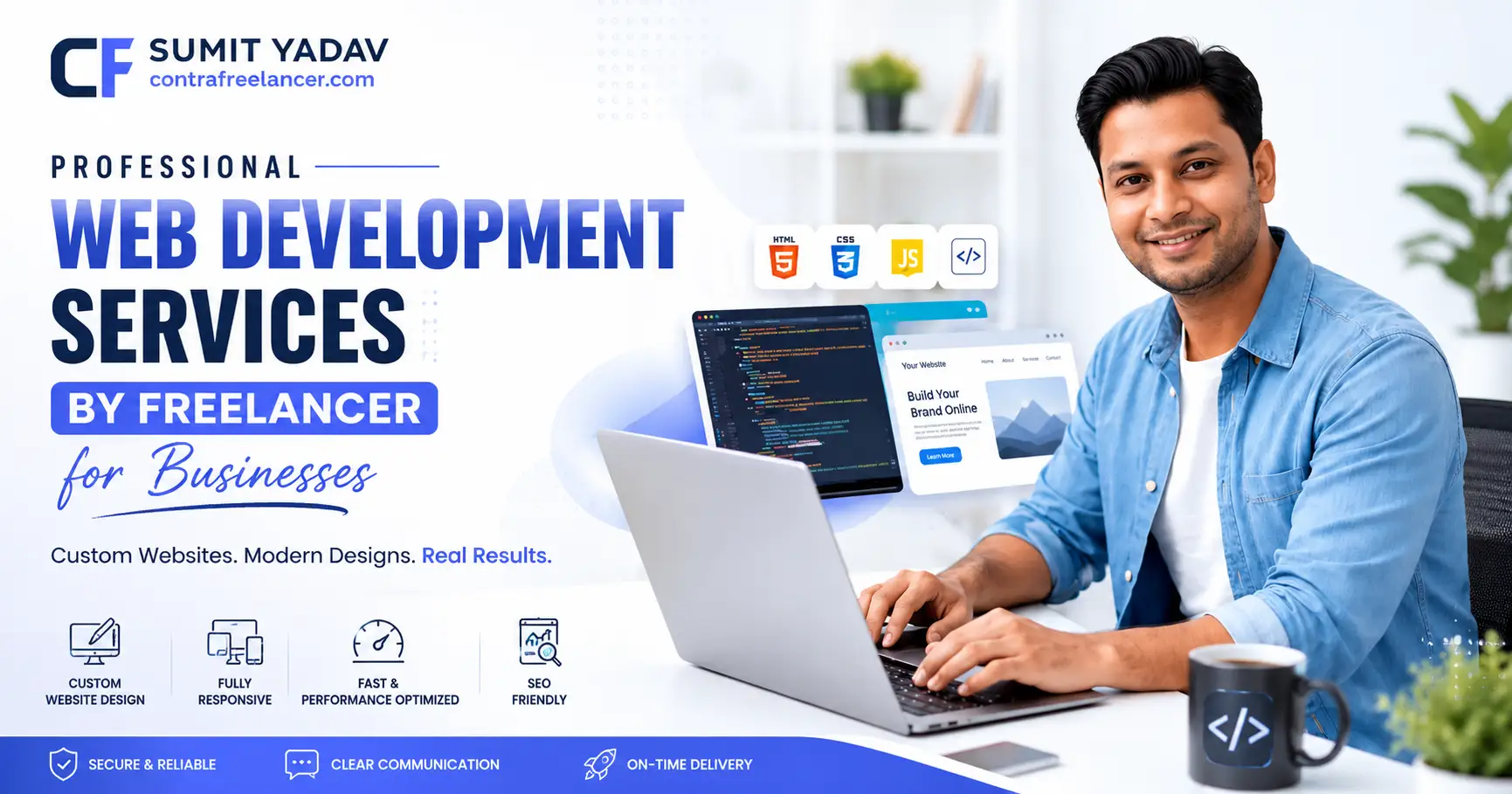
In today's hyper-competitive digital market, your website is your first impression and often your last chance to win a customer. More businesses are now turning to Professional Web Development Services by Freelancer website like Contra Freelancer to get high-quality, custom-built websites without the overhead costs of hiring an in-house team or a traditional agency. Whether you are a startup, a growing SME, or an established enterprise, working with a skilled freelance web developer can transform your online presence at a fraction of the cost. This guide walks you through everything you need to know from choosing the right developer to understanding the technologies that power modern business websites.
Why Businesses Are Choosing Freelance Web Developers in 2025
The global freelance economy has undergone a massive transformation. According to Statista, the global freelance platform market was valued at over $6.5 billion in 2023 and is projected to surpass $14 billion by 2028. This explosive growth is not accidental it reflects a real shift in how businesses think about talent acquisition.
Businesses of all sizes have realized that hiring a full-time in-house developer for every project is neither cost-efficient nor flexible. A Professional Web Development Services by Freelancer model allows you to hire specialists on a project-by-project basis, giving you access to niche expertise without long-term commitments.
Key Reasons Businesses Prefer Freelance Developers
Cost Efficiency: Freelancers typically charge 40–60% less than agencies for equivalent work quality.
Flexibility: Scale up or down based on project needs.
Speed: Faster turnaround times with direct communication.
Specialization: Hire experts in specific technologies like React.js, WordPress, Webflow, or Framer.
Global Talent Pool: Access developers across time zones with diverse portfolios.
What Are Professional Web Development Services by a Freelancer?
Professional web development services by a freelancer encompass a wide range of technical solutions. Unlike a generalist agency, a skilled freelancer often has deep expertise in a specific stack or industry niche.
Core Services Offered by Freelance Web Developers
Service Type | Description | Ideal For |
|---|---|---|
Custom Website Development | Fully coded websites tailored to brand needs | Businesses needing unique UX/UI |
CMS-Based Development | WordPress, Webflow, Framer builds | Blogs, portfolios, SMEs |
E-Commerce Development | WooCommerce, Shopify, custom stores | Retail, D2C brands |
Web App Development | React.js, Vue.js, Next.js applications | SaaS, tech startups |
Landing Page Design | Conversion-optimized single pages | Marketing campaigns |
Website Maintenance & Support | Ongoing updates, security, performance | All business sizes |
Expert Web Development Services by Freelancer: Technologies That Matter in 2025
When seeking Expert Web Development Services by Freelancer, understanding the technology stack behind your website is critical. The wrong choice can lead to slow loading times, poor SEO rankings, and high maintenance costs down the line.
Popular Technology Stacks Used by Freelance Developers
Frontend Technologies:
React.js / Next.js — Ideal for dynamic, fast-loading web applications
HTML5, CSS3, Tailwind CSS — For clean, responsive design
JavaScript (ES6+) — Core of modern interactivity
Backend Technologies:
Node.js, Python (Django/Flask), PHP (Laravel)
REST APIs and GraphQL for data communication
CMS Platforms:
WordPress (powers 43% of all websites globally)
Webflow — No-code/low-code design-to-development platform
Framer — Fast prototyping and publishing tool
Database Solutions:
MySQL, PostgreSQL, MongoDB
Many businesses today face the critical decision of choosing the right platform. For instance, if you are deciding between JavaScript frameworks and content platforms, understanding the React.js vs WordPress For Business debate is essential React.js excels in building interactive apps, while WordPress remains unbeatable for content-driven websites with simpler update needs.
Best Web Development Services by Freelancer for Small Businesses
Small businesses have unique needs: limited budgets, fast go-to-market requirements, and the need for websites that are easy to manage independently after launch. The Best Web Development Services by Freelancer for Small Businesses balance affordability with professional quality.
What Small Businesses Should Look For
Clear Communication: A freelancer who explains timelines, costs, and deliverables upfront.
Portfolio with Relevant Industry Experience: Look for past projects similar to your business type.
Responsive Design Expertise: Over 58% of web traffic now comes from mobile devices (Google, 2024).
SEO-Ready Builds: Websites built with clean code, proper meta structures, and fast load times.
Post-Launch Support: A developer who offers maintenance packages after delivery.
Comparing Freelancer vs. Agency vs. DIY Builder for Small Businesses
Factor | Freelancer | Agency | DIY Website Builder |
|---|---|---|---|
Average Cost | $500–$5,000 | $5,000–$50,000+ | $0–$500/year |
Customization Level | High | Very High | Low |
Speed of Delivery | Fast (2–6 weeks) | Slower (6–16 weeks) | Instant |
Technical Support | Depends on agreement | Dedicated team | Platform support only |
SEO Optimization | Professional | Professional | Basic |
Best For | SMEs, startups | Large enterprises | Solopreneurs |
Understanding Platform Choices: Framer vs Webflow vs WordPress
One of the most common dilemmas businesses face is choosing the right platform. If you are working with a Custom Responsive Website Developer Freelancer USA, they will likely guide you based on your content update frequency, budget, and technical skill level.
Each platform has its strengths. Knowing the Difference Between Framer and Webflow helps businesses make an informed decision:
Framer is best suited for rapid prototyping, design-forward projects, and interactive landing pages.
Webflow is a full-scale development platform that allows for complex custom design without extensive hand-coding, while still exporting clean HTML/CSS.
WordPress remains the world's most popular CMS, powering everything from personal blogs to enterprise-level media sites.
Feature Comparison: Framer vs. Webflow vs. WordPress
Feature | Framer | Webflow | WordPress |
|---|---|---|---|
Ease of Use | Very High | Moderate | Moderate |
Design Flexibility | High (Design-first) | Very High | Moderate (Theme-dependent) |
CMS Capability | Basic | Advanced | Very Advanced |
E-Commerce | Limited | Full (Webflow Commerce) | Full (WooCommerce) |
SEO Tools | Basic | Strong (built-in) | Strong (via plugins) |
Hosting | Included | Included | Self-hosted or managed |
Pricing (Monthly) | Free–$35+ | Free–$212+ | Free (hosting ~$5–$30/mo) |
Best For | Portfolios, landing pages | Business sites, SaaS | Blogs, e-commerce, enterprises |
Free Web Development Services by Freelancer: Myth or Reality?
You may have come across offers claiming free web development services by freelancer and while they do exist in specific contexts, it is important to understand what "free" really means in this space.
When Are Free Web Development Services Legitimate?
Open-Source Contribution: Some developers build websites for nonprofits or community projects for free as portfolio work.
Trial Projects: A developer may offer a small landing page for free to win a larger ongoing contract.
Freemium Platforms: Tools like WordPress.com or Wix offer free tiers, but with significant limitations.
Internship/Portfolio Building: Junior developers sometimes work for free or at very low rates to gain experience.
Important Warning: Be cautious of services claiming to be completely free for full business websites. Hidden costs often emerge later in hosting, premium plugins, SEO services, or maintenance. Always clarify the scope and deliverables upfront.
How to Hire the Best Freelance Web Developer for Your Business
Hiring the right developer is as important as the project itself. Here is a step-by-step approach that leading businesses use:
Step-by-Step Hiring Process
Step 1:- Define Your Project Scope Before reaching out to any developer, clearly define your goals: How many pages? What functionality? What is your budget and timeline?
Step 2:- Choose the Right website like Contra Freelancer connect businesses with vetted, commission free .
Step 3:- Review Portfolios Critically Look for live websites in the developer's portfolio. Check loading speed using Google PageSpeed Insights (aim for 90+ score), mobile responsiveness, and overall design quality.
Step 4:- Check Reviews and References Ask for client references and check independent reviews. A developer with a consistent record of on-time delivery and clean code is more valuable than one with a flashy portfolio but poor communication.
Step 5:- Evaluate Technical Fit Make sure their tech stack aligns with your project needs. If you need a React.js SaaS dashboard, a WordPress developer may not be the best fit.
Step 6:- Draft a Clear Contract Include milestones, payment terms, revision rounds, source code ownership, and post-launch support terms. Never begin a project without a written agreement.
WordPress vs. Webflow: Which Is Better for Your Business?
Another critical decision point for many businesses is understanding the Pro & Cons of WordPress vs Webflow. Here is a quick breakdown:
WordPress Advantages:
Massive plugin ecosystem (60,000+ plugins)
Complete ownership of code and data
Ideal for large-scale content publishing
Large developer community for easy support
WordPress Disadvantages:
Requires regular security updates and maintenance
Performance can degrade with too many plugins
Theme-based design can limit creativity
Webflow Advantages:
Visual, designer-friendly development environment
Built-in CMS with clean, exportable code
No need for additional plugins for most functions
Better native performance and security
Webflow Disadvantages:
Higher monthly cost
Smaller ecosystem compared to WordPress
Limited e-commerce functionality at lower tiers
E-E-A-T and Why It Matters for Your Business Website
Google's E-E-A-T (Experience, Expertise, Authoritativeness, Trustworthiness) framework has become a central pillar of modern SEO in 2024–2026. After the March 2024 Core Update and subsequent Helpful Content guidelines, websites that demonstrate real-world experience and expert authorship consistently outrank thin or AI-generated content.
For businesses, this means your website must:
Showcase genuine credentials, certifications, and case studies
Include clear author bios on blog and service pages
Feature real customer reviews and testimonials (preferably on third-party platforms like Google Reviews)
Maintain accurate, up-to-date information
Implement proper schema markup (Organization, LocalBusiness, Review, FAQ)
A skilled Professional Web Development Services by Freelancer provider understands how to build these E-E-A-T signals directly into the website architecture from day one.
Update | Date | Rollout Duration | Impact |
|---|---|---|---|
March 2024 Core Update | March 5, 2024 | 45 days (longest ever) | Targeted low-quality & AI-generated content; merged Helpful Content system into core ranking; introduced 3 new spam policies simultaneously |
Site Reputation Abuse Policy | May 2024 | Ongoing (manual → algorithmic) | Penalized parasite SEO — third-party content hosted on trusted domains to manipulate rankings |
August 2024 Core Update | August 15, 2024 | ~19 days | Promoted high-quality content; demoted low-value SEO-first content; further refined E-E-A-T signals |
November 2024 Core Update | November 11, 2024 | ~23 days | Broad quality re-evaluation; major ranking volatility across niches |
December 2024 Core Update | December 12, 2024 | ~6 days | Focused on rebalancing UGC visibility; penalized "fake freshness" (cosmetic date changes) and mass-produced content |
March 2025 Core Update | March 13, 2025 | ~14 days | Focused on page experience, mobile-first indexing, HTTPS; similar volatility to December 2024 |
June 2025 Core Update | June 30, 2025 | ~17 days | Surfaced "hidden gem" content from lesser-known sites; rewarded sites with partial helpful content recovery |
August 2025 Spam Update | August 26, 2025 | ~27 days | First spam update in 8 months; targeted manipulative links, cloaking, and scaled AI-generated spam |
December 2025 Core Update | December 11, 2025 | ~18 days | Enforced stricter E-E-A-T; penalized low-effort, mass-produced content; rewarded genuine first-hand expertise |
February 2026 Discover Update | February 2026 | Limited rollout | First-ever Discover-only core update; prioritized locally relevant content; reduced clickbait in Google Discover feed |
March 2026 Spam Update | March 24, 2026 | ~20 hours (fastest ever) | Targeted manipulative link behavior and spam violations; fastest spam update in Google history |
March 2026 Core Update | March 27, 2026 | ~12 days | Introduced holistic Core Web Vitals scoring (LCP + INP + CLS aggregated); rewarded original insights & genuine expertise; continued "Information Gain" signal |
May 2026 Core Update | May 21, 2026 | ~12 days | Broad global core update; boosted brands, official sites & data-rich sources; ~80% of top results shifted in some niches |
📌 Important Notes:
Google's March 2026 core update was focused on continuing the work of prioritizing original insights, genuine expertise, and helpful content.
The March 2026 core update also introduced holistic Core Web Vitals scoring aggregating LCP, INP, and CLS into a composite performance score, marking the most significant ranking signal change since the Helpful Content Update.
Throughout 2025 and 2026, Google has consistently reinforced the same priorities: thin generic content declined, brand strength became a direct SEO signal, and AI Overviews powered by Gemini reshaped click behavior across industries.
A Q4 2026 year-end core update is widely expected, consistent with Google's pattern from 2024 and 2025.
Conclusion
Choosing Professional Web Development Services by Freelancer is one of the smartest business decisions you can make in 2025. It gives you access to specialized talent, faster delivery, and flexible pricing all without the overhead of a full-time hire or the expense of a traditional agency. Website like Contra Freelancer make it easier than ever to find vetted, highly skilled developers who are ready to bring your vision to life.
Whether you need a simple landing page, a complex e-commerce platform, or a full-stack web application, the freelance model has matured into a professional, reliable ecosystem. Focus on clear communication, defined project scopes, and developers who understand both technical excellence and the ever-evolving landscape of Google algorithms and E-E-A-T standards. Your website is your most powerful business tool. Invest in it wisely with the right freelancer by your side.
FAQs
Q1. What is included in professional web development services by a freelancer?
A. It includes website design, coding, CMS setup, responsive development, SEO-ready structure, testing, and post-launch support based on the agreed scope.
Q2. How much does it cost to hire a freelance web developer?
A. Costs vary widely from $500 for a simple landing page to $20,000+ for a complex web application, depending on scope, technology, and developer experience.
Q3. Can a freelancer build an SEO-optimized website?
A. Yes, experienced freelancers can build websites with proper meta structures, schema markup, fast loading times, and mobile-first design all critical for SEO performance.
Q4. What is the difference between Webflow and WordPress for business websites?
A. WordPress offers a larger plugin ecosystem and more flexibility for content-heavy sites, while Webflow provides a cleaner visual design experience with better built-in performance and security.
Q5. Are there any free web development services by a freelancer?
A. Genuinely free full-service web development is rare; however, some developers offer free starter projects for nonprofits, portfolio-building, or as part of a trial arrangement for larger ongoing work.
Q6. How long does it take a freelancer to build a business website?
A. A standard business website typically takes 2–6 weeks; more complex projects with custom functionality or e-commerce features may take 8–16 weeks.
Q7. What should I check before hiring a freelance web developer?
A. Review their portfolio, check client references, confirm their tech stack expertise, review contract terms, and verify their understanding of current SEO and Google algorithm standards.