
WordPress vs Webflow in USA: Pros, Cons & Pricing 2026
5 min
Web Development
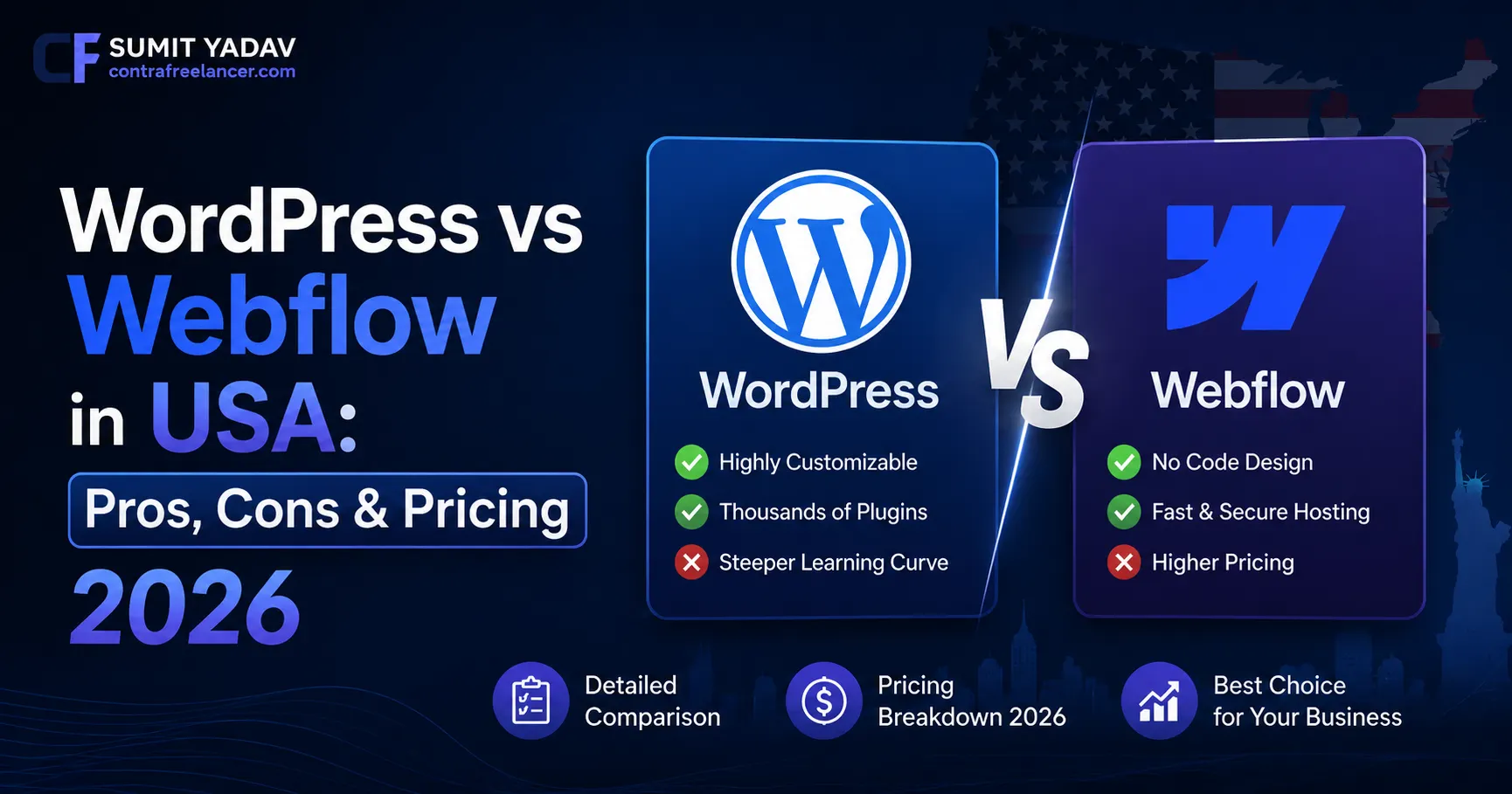
Choosing the right website platform in 2026 is one of the most critical decisions a business, startup, or freelancer can make in the USA. The WordPress vs Webflow in USA debate has never been more heated and for good reason. Both platforms have evolved dramatically, yet they serve very different audiences, workflows, and budgets. Whether you are a solopreneur, a growing startup, or an enterprise scaling fast, this guide breaks down every factor that matters so you can make a fully informed choice.
As a trusted Contra Freelancer helping businesses build high-performing websites, I have worked with both WordPress and Webflow across a wide range of industries. Understanding the strengths and limitations of each platform is essential before investing in your next website project. From Webflow vs WordPress 2026 feature comparisons to Webflow vs WordPress pricing breakdowns, this article covers everything including expert insight on SEO, scalability, design freedom, ease of use, and real-world use cases across the United States.
Quick Comparison: WordPress vs Webflow in USA at a Glance
Feature | WordPress | Webflow |
Founded | 2003 | 2013 |
Market Share (USA 2026) | ~43% of all websites | ~1.8% of all websites |
Ease of Use | Moderate (requires plugins) | Beginner-friendly visual builder |
Design Flexibility | High (with themes/code) | Very High (pixel-perfect control) |
Pricing (Starting) | Free (hosting extra) | $14/month (Basic plan) |
SEO Capabilities | Excellent (with plugins) | Good (built-in tools) |
E-Commerce | WooCommerce (powerful) | Webflow Commerce (limited) |
Hosting | Self-hosted / Managed | Webflow Hosting only |
Best For | Blogs, CMS, large sites | Portfolios, landing pages, agencies |
AI Tools in 2026 | Various AI plugins | Webflow AI (beta features) |
Is Webflow Still Relevant in 2026?
One of the most searched questions in the USA right now is: Is Webflow still a good choice for website development in 2026? The answer is a confident yes but with important nuances. Webflow has matured from a niche design tool into a legitimate no-code development platform used by agencies, SaaS companies, and creative studios worldwide.
Why are businesses still using Webflow in 2026? Because it offers something WordPress alone cannot: a visual-first, design-driven development experience that produces clean, exportable code without writing a single line. For designers and marketing teams who want complete creative control without relying on developers, Webflow remains the gold standard.
Is Webflow worth it for small businesses in 2026? For small businesses with tight budgets and a need for polished, professional websites quickly, Webflow's drag-and-drop environment is highly attractive. The learning curve is lower than learning WordPress with custom themes and plugins, and the output quality is consistently high.
What are the benefits of using Webflow in 2026?
• Built-in responsive design tools that auto-generate mobile layouts
• Native CMS with structured content types for dynamic pages
• Clean, semantic HTML and CSS output - great for performance
• Webflow University - one of the best free learning resources in the no-code space
• Increasingly robust Webflow AI features rolling out in 2026
• Seamless integrations with tools like Zapier, Figma, and HubSpot
Is WordPress Outdated in 2026?
Is WordPress still relevant for websites in 2026? Absolutely. Has WordPress become outdated in 2026? Not by a long shot. WordPress powers approximately 43% of all websites globally, and that number has remained stable through 2026 despite the rise of no-code competitors like Webflow, Wix, and Squarespace.
Why do millions of websites still use WordPress in 2026? The platform's open-source nature means it is infinitely extensible. With over 59,000 plugins in the official repository and a global community of developers, WordPress can be shaped into virtually any type of website - from a simple blog to a complex multi-vendor marketplace.
Is WordPress a good platform for modern websites in 2026? Yes, especially when paired with modern page builders like Elementor or Bricks Builder, and performance tools like Cloudflare, WP Rocket, and LiteSpeed Cache. The WordPress block editor (Gutenberg) has continued to improve, offering a more visual editing experience that narrowed the gap with Webflow considerably.
Key reasons WordPress still dominates in 2026:
• Unmatched plugin ecosystem for SEO (Yoast, RankMath), security, and e-commerce
• Full ownership of your data and hosting environment
• WooCommerce remains the most powerful open-source e-commerce solution
• Massive talent pool - easier to find WordPress developers in the USA
• AI integrations via plugins like Bertha AI, AIKit, and ChatGPT for WordPress
Webflow vs WordPress Pricing: Full Breakdown for USA Users (2026)
When evaluating Webflow vs WordPress pricing, the real cost picture is very different from what you see on the surface. WordPress is technically free - but the total cost of ownership includes hosting, premium themes, plugins, security, and maintenance.
Cost Component | WordPress (Annual) | Webflow (Annual) |
Platform License | $0 (open source) | $0–$228 (Basic to CMS plans) |
Hosting | $60–$600/yr (varies) | Included in plan |
Premium Theme | $0–$100 (one-time) | Not needed (built-in designer) |
Essential Plugins | $100–$500/yr | Mostly included |
SSL Certificate | Free with most hosts | Included |
E-Commerce | WooCommerce – Free + extensions | Webflow Commerce – $29–$212/mo |
Developer Cost (USA) | $50–$150/hr freelancer | $60–$150/hr freelancer |
Estimated Total/Year | $300–$2,500+ for SMBs | $400–$3,000+ for SMBs |
The bottom line on Webflow vs WordPress pricing: WordPress can be cheaper at scale, especially if you use free themes and plugins wisely. Webflow's all-in-one model is more predictable in cost but can become expensive as your site grows and you need more CMS items, form submissions, or e-commerce functionality.
Is WordPress Better Than Webflow? Full Head-to-Head Analysis
Which is better for business websites WordPress or Webflow? Should you choose WordPress or Webflow for your website in 2026? These are the right questions, and the honest answer is: it depends on your specific use case, budget, and technical capability.
SEO: Which Platform Wins?
Is Webflow better than WordPress for SEO in 2026? Both platforms are capable of ranking well in Google - but WordPress has the edge due to its mature SEO plugin ecosystem. Tools like RankMath Pro and Yoast SEO give WordPress users granular control over schema markup, sitemaps, breadcrumbs, and on-page SEO factors that Webflow's native tools still do not fully match.
That said, Webflow generates cleaner HTML by default, which means faster page loads and better Core Web Vitals out of the box - a ranking factor Google continues to weight in 2026. For technical SEO, Webflow actually performs well with its automatic sitemap generation, clean URL structures, and 301 redirect manager built right into the dashboard.
Design & Customization
What is the difference between WordPress and Webflow when it comes to design? Webflow wins for visual, pixel-perfect design control. Its canvas-based editor lets you build exactly what you envision without being constrained by a theme's structure. WordPress with a page builder comes close, but theme frameworks often introduce extra markup, CSS conflicts, and performance overhead.
Businesses that prioritize brand identity and unique visual experiences - such as tech startups, agencies, and creative studios gravitate toward Webflow for this reason. If you want to understand the Difference Between a Custom Website and a Template, both platforms support custom development, but Webflow makes custom design more accessible to non-developers.
Scalability & Flexibility
Is WordPress more flexible than Webflow for SEO and scalability? For large, complex websites with thousands of pages, custom post types, multi-language support, and advanced user roles, WordPress scales better. The combination of plugins, custom code, and managed WordPress hosting on providers like WP Engine, Kinsta, or Cloudways gives developers virtually unlimited headroom.
Webflow's CMS limits (currently 10,000 items on the highest CMS plan) and its reliance on Webflow's own hosting infrastructure mean it is not the right choice for enterprise-level content operations. However, for marketing sites, portfolio sites, and landing pages, Webflow scales perfectly.
WordPress vs Webflow: Which Platform Fits Your Use Case?
Use Case | Best Platform | Reason |
Company Blog / News Site | WordPress | Superior CMS, categories, author roles, RSS |
Agency Portfolio | Webflow | Design freedom, fast builds, clean presentation |
E-Commerce Store (USA) | WordPress + WooCommerce | Most powerful open-source cart available |
SaaS Marketing Site | Webflow | Fast, branded, easy for non-dev teams to update |
Membership / Community | WordPress | MemberPress, BuddyPress plugins unmatched |
Startup MVP Website | Webflow | Quick launch, no server management needed |
Large Enterprise CMS | WordPress | Scalable, multi-site, deep integration options |
Personal Portfolio | Webflow | Stunning visuals, animations, mobile-first |
Non-Profit Website | WordPress | Free hosting discounts, donation plugins |
Local Business Site | Either (depends on budget) | Both work — WordPress cheaper long-term |
Who Builds WordPress and Webflow Sites in the USA?
In 2026, the talent landscape for both platforms is strong across the United States. However, the type of professional you hire differs significantly. Many businesses choose to work with a freelance full stack developer rather than a large agency - and website like Contra Freelancer have made it easier than ever to find and hire vetted freelancers who specialize in both WordPress and Webflow development.
If you are debating whether to hire a solo expert or a team, understanding the trade-offs of a Freelance Full Stack Developer vs Agency is essential. Agencies bring broader resources and project management, while a skilled freelancer offers more direct communication, faster turnaround, and often lower cost especially for small to mid-size projects.
Many startups in the USA are increasingly asking: Why do Startups Choose Freelance Full Stack Developers? The answer often comes down to budget efficiency and agility. A freelancer who knows both WordPress and Webflow can assess which platform is better for your specific goals and build accordingly - without the overhead of an agency retainer. If you are ready to scale your development team affordably, learning how to hire a freelance full stack developer in USA is a valuable first step.
WordPress vs Webflow Developer Cost in the USA (2026)
Developer Type | WordPress Rate (USD/hr) | Webflow Rate (USD/hr) | Best Hired Via |
Junior Freelancer | $25–$50 | $30–$55 | Contra Freelancer, Upwork |
Mid-Level Freelancer | $50–$90 | $55–$95 | Contra Freelancer, Toptal |
Senior Full Stack Dev | $90–$150 | $90–$150 | Contra Freelancer, direct referral |
Small Agency (USA) | $100–$200+ | $120–$200+ | Agency directories |
Enterprise Agency | $150–$300+ | $150–$300+ | Custom contracts |
Will AI Replace Webflow Developers in 2026?
This question has been trending across developer forums and Reddit threads throughout 2026. The short answer: No - but AI is fundamentally changing how both WordPress and Webflow sites are built.
Webflow introduced AI-powered layout suggestions and copy generation features in beta during late 2025, which rolled out more broadly in 2026. WordPress, meanwhile, has seen an explosion of AI plugins including content generators, image optimization tools, and smart SEO assistants. For routine tasks like generating placeholder content, resizing images, or writing meta descriptions, AI handles these efficiently on both platforms.
However, the strategic, architectural, and custom development work - integrating APIs, building custom Webflow logic, or architecting a large WordPress multisite - still requires skilled human developers. AI augments developers; it does not replace them. Website like Contra Freelancer continue to see growing demand for Webflow and WordPress experts even in an AI-enhanced environment.
WordPress: Pros and Cons for USA Businesses in 2026
Pros:
• Open-source and free — lowest barrier to entry
• 59,000+ plugins for virtually any functionality
• Massive USA-based developer community
• Full data ownership and hosting flexibility
• WooCommerce is unmatched for complex e-commerce
• Scales from personal blogs to enterprise-grade platforms
Cons:
• Requires regular plugin and core updates — security risk if neglected
• Performance requires additional optimization tools
• Plugin conflicts can cause unexpected issues
• Steeper learning curve for non-technical users
• Design freedom limited unless using a page builder or custom theme
Webflow: Pros and Cons for USA Businesses in 2026
Pros:
• Visual-first, canvas-based design with pixel-perfect control
• No plugin management — everything is built-in
• Faster time-to-launch for marketing and portfolio sites
• Clean HTML/CSS output — great Core Web Vitals scores
• Webflow University provides excellent free training
• Managed hosting with global CDN included
Cons:
• Pricing can escalate — especially for CMS and e-commerce
• CMS item limits restrict very large content operations
• Smaller developer community compared to WordPress
• Less flexibility for complex custom functionality
• Locked into Webflow's hosting infrastructure
The 2026 Verdict: Which Should You Choose?
After this full WordPress vs Webflow in USA analysis, here is the bottom line:
• Choose WordPress if you need a scalable CMS, e-commerce, or a content-heavy platform with full hosting control.
• Choose Webflow if you need stunning design, fast launch times, and a manageable site your marketing team can update without a developer.
• Consider hiring a specialist from Contra Freelancer who can evaluate your specific business needs and recommend the right platform or even migrate you from one to the other.
Conclusion
The WordPress vs Webflow in USA debate does not have a universal winner in 2026. Both platforms are alive, relevant, and actively evolving. WordPress continues to dominate by sheer market share and plugin flexibility, while Webflow leads in design quality, ease of use, and the growing no-code movement.
Your choice should be based on your team's technical capability, your website's content and e-commerce requirements, your long-term budget, and how much design control matters to your brand. For most USA-based businesses, startups, and agencies, working with a vetted professional whether found via Contra Freelancer or another platform will deliver far better results than trying to navigate these platforms alone.
Stay informed, test both platforms if possible, and make the decision that aligns with your business goals not just the trending opinion of the day.
FAQs
Is Webflow still relevant in 2026?
Yes, Webflow remains highly relevant in 2026, especially for agencies, designers, and marketing teams that prioritize visual design and fast launch times without writing code.
Is Webflow still a good choice for website development in 2026?
Absolutely — Webflow is an excellent choice for portfolios, SaaS marketing sites, and landing pages, offering clean code output and a powerful visual editor.
Why are businesses still using Webflow in 2026?
Businesses use Webflow for its design freedom, no-code/low-code approach, managed hosting, and the ability for non-developers to update content without technical help.
Is Webflow worth it for small businesses in 2026?
For small businesses needing a polished website quickly, Webflow is worth the cost — though growing businesses should monitor pricing as CMS and e-commerce needs increase.
Is WordPress outdated in 2026?
No, WordPress is not outdated — it powers 43% of the web in 2026 and continues to evolve with AI plugins, improved block editing, and robust performance tools.
Is WordPress still relevant for websites in 2026?
Yes, WordPress is more relevant than ever, particularly for content-heavy sites, e-commerce stores, and enterprises needing full control over their hosting and data.
Why do millions of websites still use WordPress in 2026?
WordPress's open-source nature, 59,000+ plugins, massive developer community, and WooCommerce integration make it the most versatile CMS available at any price point.
Which is better for business websites: WordPress or Webflow?
WordPress is better for content-heavy, e-commerce, and enterprise sites; Webflow is better for design-forward marketing and portfolio sites with smaller content operations.
What is the difference between WordPress and Webflow?
WordPress is an open-source CMS with a plugin-based architecture; Webflow is a visual, no-code platform with managed hosting and a canvas-based design editor.
Is WordPress more flexible than Webflow for SEO and scalability?
Yes — WordPress has deeper SEO plugin support and scales better for large, complex content operations, though Webflow's cleaner code can give technical SEO advantages on smaller sites.
Is Webflow better than WordPress for SEO in 2026?
Webflow produces cleaner HTML by default, which helps Core Web Vitals, but WordPress with RankMath or Yoast SEO offers more comprehensive SEO control for most use cases.
Will AI replace Webflow developers in 2026?
No — AI assists with routine tasks, but strategic design, custom integrations, and complex builds still require skilled human Webflow or WordPress developers.
What is Webflow vs WordPress pricing in 2026?
WordPress is free but hosting and plugins add $300–$2,500/year; Webflow plans start at $14/month with hosting included, scaling up based on CMS items and e-commerce needs.